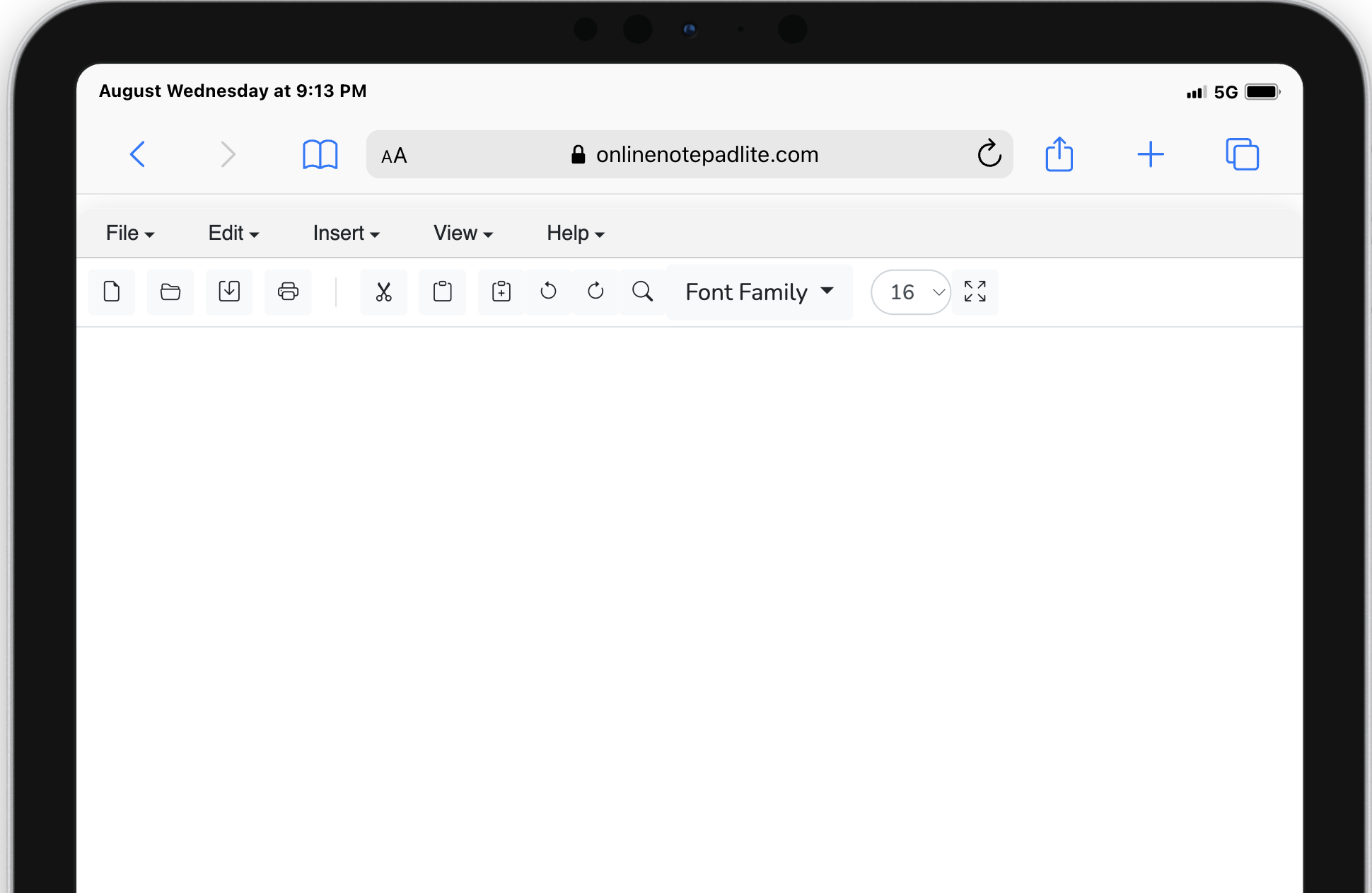
Online Notepad Lite is a lightweight, distraction-free editor that works instantly on any device—desktop, tablet, or phone. Whether you’re jotting down quick notes, brainstorming ideas, drafting emails, or writing code snippets, our clean and reliable workspace adapts seamlessly to your screen. No downloads, no sign-ups and the editor—just simple writing freedom, anywhere you go.
Online Notepad Lite is built for speed and convenience. Unlike traditional applications that require installation or account creation, our tool loads instantly in your browser. There are no downloads, no lengthy setup steps, and no hidden requirements—just open the editor and start typing. This makes it ideal for quick note-taking during meetings, capturing sudden ideas, or drafting something important when every second counts. The editor launches quickly on desktop, tablet, and mobile devices alike.
We take privacy seriously. With Online Notepad Lite, your notes remain on your device at all times. Unlike cloud-based editors that upload your content to remote servers, our notepad uses the browser's local storage to keep everything private. Your writing is not sent to our servers, is not analyzed, and is not shared with third-party trackers. That makes the tool especially useful for students, professionals, and anyone who prefers to keep their notes local and private.
Writing should be distraction-free. The interface provides a simple, uncluttered workspace with a classic toolbar and a fullscreen option to help you concentrate. Whether you're brainstorming, studying, or preparing reports, the minimalist design encourages longer, more focused writing sessions without unnecessary bells and whistles.
Use all features instantly without creating an account or remembering passwords. This lowers friction, improves accessibility, and ensures you can rely on the tool whenever you need it—especially for one-off tasks such as jotting down a phone number or drafting a quick message.
The editor works across modern browsers—including Chrome, Firefox, Edge, and Safari—and adapts to different screen sizes. Whether you're using a desktop at work, a tablet at home, or a phone on the go, the layout remains usable and responsive so you can capture ideas anytime.
Toolbar Actions: The editor includes fundamental commands—New, Open, Save, Print, Cut, Copy, Paste, Undo, and Redo—so you get the convenience of a desktop word processor without installing extra software.
Find & Replace: Easily locate words and phrases in long documents and replace them instantly. This feature is valuable for editing drafts, updating terms across a file, or cleaning up repeated mistakes.
Font Options: Choose your preferred font family and size, and preview changes live. Switch between serif, sans-serif, or monospaced fonts depending on whether you're writing prose or testing code snippets.
Responsive Design: The interface adapts fluidly to phone, tablet, and desktop screens so you can keep working in any environment.
Auto Save: Your notes are automatically stored in the browser’s local storage. If you accidentally close the tab, your content will still be there when you return.
Dark Mode (coming soon): A night-friendly theme is in development to reduce eye strain in low-light settings.
Online Notepad Lite is a flexible tool used for many everyday tasks: drafting quick reminders and shopping lists, brainstorming ideas, saving short code snippets for testing, creating exam revision notes, drafting journal entries, or temporarily storing clipboard content while switching between apps. Its simplicity and privacy make it a go-to scratchpad for both casual and professional use.
Your notes are saved in your browser's local storage (on-device storage). They are not uploaded to our servers or any third-party service. If you clear browser data, history, or local storage, your saved notes may be lost—so use the Save/Download option if you want a permanent backup.
No account or registration is required. The app works instantly and anonymously in your browser.
Yes. Use the Save option to download your notes as a file, or use Print to export to PDF for archiving and sharing. We recommend saving critical content locally as an extra backup.
Absolutely. The editor is fully responsive and designed to work on iOS and Android browsers. For best results, use the latest browser versions and ensure JavaScript is enabled.
Because we do not upload notes to any external servers, your content stays on your device. We do not place trackers inside the editor or use third-party analytics that read your content.
Many users choose browser-based notepads because they remove the friction of installations and account management. Online Notepad Lite runs purely on HTML5 and JavaScript so you can write immediately without updates or installs, and your data remains private on your device.